
Solid Deutschland Meeting is happening 2021-01-12, 18:00 GMT+01 using jitsi software.
Joining Details short before at https://gitter.im/solid-germany/community
Solid Deutschland Meeting is happening 2021-01-12, 18:00 GMT+01 using jitsi software.
Joining Details short before at https://gitter.im/solid-germany/community
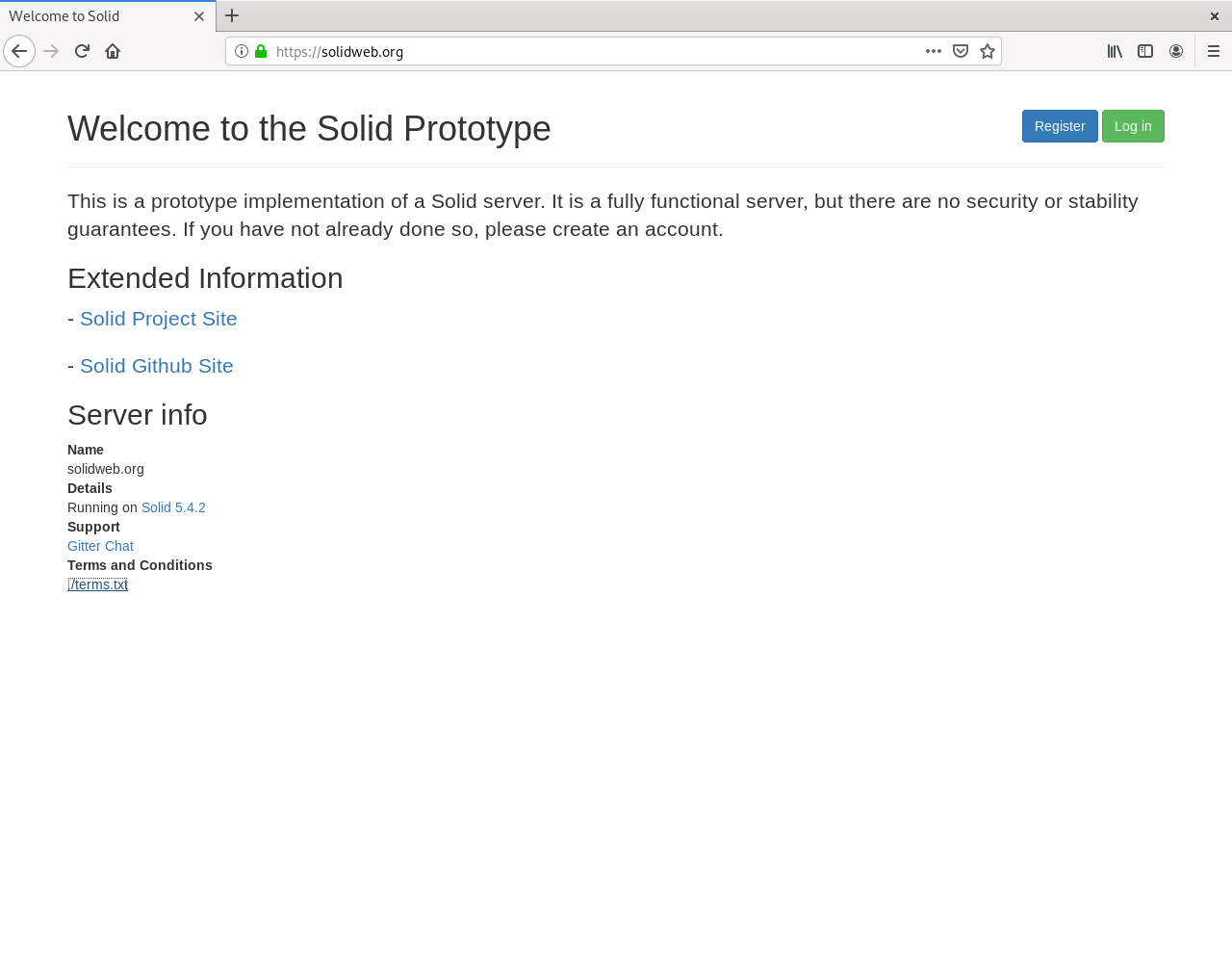
solidweb.org
certbot)$ solid init
* ? Path to the folder you want to serve. Default is (./data) /var/www/html/data
? SSL port to run on. Default is (8443) 8443
? Solid server uri (with protocol, hostname and port) https://solidweb.org
? Enable WebID authentication Yes
? Serve Solid on URL path /
? Path to the config directory (for example: /etc/solid-server) (./config) /var/www/html/config
? Path to the config file (for example: ./config.json) (./config.json) /var/www/html/config.json
? Path to the server metadata db directory (for users/apps etc) (./.db) /var/www/html/.db
? Path to the SSL private key in PEM format /etc/letsencrypt/archive/solidweb.org/privkey1.pem
? Path to the SSL certificate key in PEM format /etc/letsencrypt/archive/solidweb.org/fullchain1.pem
? Enable multi-user mode Yes
? Do you want to set up an email service (y/N) N
? A name for your server (not required) solidweb.org
? A description of your server (not requred) undefined
? A logo (not required) undefined
? Do you want to enforce Terms & Conditions for your service (y/N) N
? Do you want to disable password strength checking (y/N) N
? The support email you provide for your users (not required) meisdata@gmail.com
config created on /root/config.json
"useEmail": true, "email": { "host": "smtp.sendgrid.net", "port": "465", "sender": "me@evering.eu", "secure": true, "auth": { "user": "apikey", "pass": "xxxxxx" } }
[Unit]
Description=solid - Social Linked Data
Documentation=https://solid.inrupt.com/docs/
After=network.target

[Service]
Type=simple
User=solid
WorkingDirectory=/var/www/html
ExecStart=/usr/bin/solid start
Restart=on-failure

[Install]
WantedBy=multi-user.target
# Nginx configuration for Solid on Port 8443

## Redirects all HTTP traffic to the HTTPS host
server {
  ## In case of conflict, either remove "default_server" from the listen line below,
  ## or delete the /etc/nginx/sites-enabled/default file.
  listen 0.0.0.0:80;
  listen [::]:80;
  server_name solidweb.org;
  server_tokens off; ## Don't show the nginx version number, a security best practice
  return 301 https://$http_host$request_uri;
  access_log  /var/log/nginx/solid_access.log;
  error_log   /var/log/nginx/solid_error.log;
}

server {
  listen *:443 ssl;
  listen [::]:443 ssl;
  server_name solidweb.org;
  server_tokens off;

  access_log  /var/log/nginx/solid_ssl_access.log;
  error_log   /var/log/nginx/solid_ssl_error.log;

ssl_certificate /etc/letsencrypt/archive/solidweb.org/fullchain1.pem;
ssl_certificate_key /etc/letsencrypt/archive/solidweb.org/privkey1.pem;

root /var/www/html; #webroot

  ## [Optional] Enable HTTP Strict Transport Security
  ## HSTS is a feature improving protection against MITM attacks
  ## For more information see: https://www.nginx.com/blog/http-strict-transport-security-hsts-and-nginx/
  add_header Strict-Transport-Security "max-age=31536000; includeSubDomains";

  location / {
    proxy_pass https://localhost:8443;

    gzip off;
    proxy_redirect off;

    ## Some requests take more than 30 seconds.
    proxy_read_timeout      300;
    proxy_connect_timeout   300;
    proxy_redirect          off;

    proxy_http_version 1.1;

    proxy_set_header    Host                $http_host;
    proxy_set_header    X-Real-IP           $remote_addr;
    proxy_set_header    X-Forwarded-Ssl     on;
    proxy_set_header    X-Forwarded-For     $proxy_add_x_forwarded_for;
    proxy_set_header    X-Forwarded-Proto   $scheme;

    proxy_set_header Upgrade $http_upgrade;
    proxy_set_header Connection "upgrade";
  }

}
@prefix dct: <http://purl.org/dc/terms/>.
@prefix pim: <http://www.w3.org/ns/pim/space#>.
@prefix solid: <http://www.w3.org/ns/solid/terms#>.

<>
  a pim:ConfigurationFile;

  dct:description "Administrative settings for the POD that the user can only read." .

</>
    solid:storageQuota "250000000" .
{
	"idps": [
		{
			"url": "https://inrupt.net/",
			"icon": "https://inrupt.com/themes/custom/solid/logo.svg",
			"icon_bg": "#ffffff",
			"title": "inrupt.net",
			"title_color": "#fff",
			"policyURL": "https://inrupt.net",
			"description": "inrupt.net is a public server provided by Inrupt, Inc.",
			"btn_bg": "#43C47A",
			"btn_color": "#fff"
		},
		{
			"url": "https://solid.community/",
			"icon": "https://solid.inrupt.com/themes/custom/solid/logo.svg",
			"icon_bg": "#333748",
			"title": "solid.community",
			"title_color": "#fff",
			"policyURL": "https://solid.community",
			"description": "solid.community is a public server for early adopters of Solid.",
			"btn_bg": "#43C47A",
			"btn_color": "#fff"
		},
		{
			"url": "https://dev.inrupt.net/",
			"icon": "https://solid.inrupt.com/themes/custom/solid/logo.svg",
			"icon_bg": "#333748",
			"title": "dev.inrupt.net",
			"title_color": "#fff",
			"policyURL": "https://inrupt.net",
			"description": "dev.inrupt.net is a public development Server of Inrupt, Inc.",
			"btn_bg": "#43C47A",
			"btn_color": "#fff"
		},
		{
			"url": "https://solidweb.org/",
			"icon": "https://www.serverproject.de/logo2.png",
			"icon_bg": "#333748",
			"title": "solidweb.org",
			"title_color": "#fff",
			"policyURL": "https://www.serverproject.de/files/solidweb_org_terms.txt",
			"description": "solidweb.org is a public Solid server based in Germany which is in an experimental state.",
			"btn_bg": "#43C47A",
			"btn_color": "#fff"
		},
		{
			"url": "https://solid.authing.cn/",
			"icon": "https://usercontents.authing.cn/client/logo@2.png",
			"icon_bg": "#333748",
			"title": "solid.authing",
			"title_color": "#fff",
			"policyURL": "https://solid.authing.cn",
			"description": "solid.authing is a public solid server deployed in China",
			"btn_bg": "#43C47A",
			"btn_color": "#fff"
		},
		{
			"url": "https://solid.open.ac.uk/",
			"icon": "https://www.liberaldictionary.com/wp-content/uploads/2018/12/open-university.png",
			"icon_bg": "#333748",
			"title": "solid.open.ac.uk",
			"title_color": "#fff",
			"policyURL": "http://www.open.ac.uk",
			"description": "solid.open.ac.uk is a public Solid server based in the UK.",
			"btn_bg": "#43C47A",
			"btn_color": "#fff"
		}

	]
}
$ wget https://dl.eff.org/certbot-auto
$ mv certbot-auto /usr/local/bin/certbot-auto
$ chown root /usr/local/bin/certbot-auto
$ chmod 0755 /usr/local/bin/certbot-auto
$ cd /usr/local/bin/
$ ./certbot-auto certonly \
--manual \
--preferred-challenges=dns \
--email mail@host.com \
--server https://acme-v02.api.letsencrypt.org/directory \
--agree-tos \
-d example.org -d *.example.org
//now DNS-challenge
$ chmod -R 755 /etc/letsencrypt/live/
—-
$ less /etc/apache2/sites-available/000-default.conf

<VirtualHost *:80>
ServerName example.org
Redirect / https://example.org

DocumentRoot /var/www/example.org
</VirtualHost>

<VirtualHost *:80>
ServerAlias *.example.org
RewriteEngine On
RewriteCond %{HTTPS} off
RewriteRule (.*) https://%{HTTP_HOST}%{REQUEST_URI} [R=301,L]
</VirtualHost>

<VirtualHost *.443>
ServerName example.org
DocumentRoot /var/www/example.org

SSLEngine On
SSLProxyEngine On
SSLProxyVerify None
SSLProxyCheckPeerCN Off
SSLProxyPeerName Off
SSLProxyCheckPeerExpire Off
ProxyPreserveHost On

SSLCertificateFile /etc/letsencrypt/live/example.org/cert.pem
SSLCertificateKeyFile /etc/letsencrypt/live/example.org/privkey.pem
SSLCertificateChainFile /etc/letsencrypt/live/example.org/fullchain.pem

ProxyPass / https://localhost:8443/
ProxyPassReverse / https://localhost:8443/
</VirtualHost>

<VirtualHost *:443>
ServerAlias *.example.org

SSLEngine On
SSLProxyEngine On
SSLProxyVerify None
SSLProxyCheckPeerCN Off
SSLProxyPeerName Off
SSLProxyCheckPeerExpire Off
ProxyPreserveHost On

SSLCertificateFile /etc/letsencrypt/live/example.org/cert.pem
SSLCertificateKeyFile /etc/letsencrypt/live/example.org/privkey.pem
SSLCertificateChainFile /etc/letsencrypt/live/example.org/fullchain.pem

ProxyPass / https://localhost:8443/
ProxyPassReverse / https://localhost:8443/
</VirtualHost>
—-
$ less /etc/apache2/sites-available/default-ssl.conf

<VirtualHost _default_:443>
ServerName example.org:443
DocumentRoot /var/www/example.org

SSLEngine on

SSLCertificateFile /etc/letsencrypt/live/example.org/cert.pem
SSLCertificateKeyFile /etc/letsencrypt/live/example.org/privkey.pem
SSLCertificateChainFile /etc/letsencrypt/live/example.org/fullchain.pem
</VirtualHost>
{
  "root": "/var/www/html/data",
  "port": "8443",
  "serverUri": "https://solidweb.org",
  "webid": true,
  "mount": "/",
  "configPath": "/var/www/html/config",
  "configFile": "/var/www/html/config.json",
  "dbPath": "/var/www/html/.db",
  "sslKey": "/etc/letsencrypt/archive/solidweb.org/privkey4.pem",
  "sslCert": "/etc/letsencrypt/archive/solidweb.org/fullchain4.pem",
  "multiuser": true,
  "enforceToc": false,
  "disablePasswordChecks": false,
  "supportEmail": "me@evering.eu",
  "useEmail": true,
  "emailHost": "smtp.gmail.com",
  "emailPort": "465",
  "emailAuthUser": "meisdata@gmail.com",
  "emailAuthPass": "black",
  "server": {
    "name": "solidweb.org",
    "description": "",
    "logo": ""
  }
}

You are entering the world of Open Source
| URL | infostring |
|---|---|
| https://solid.github.io/ | beta |
| https://solidproject.org/ | production |
 Solid Experiments